Every Video. Exceptional Quality.
A powerful Windows desktop application for high-quality downloads, flexible formats, and a streamlined media workflow.
Up to 8K where supported
Created by Manikanta Kudipudi
*Up to 8K where the source video, the download engine, and the available formats support it. Not every video is available in 8K.
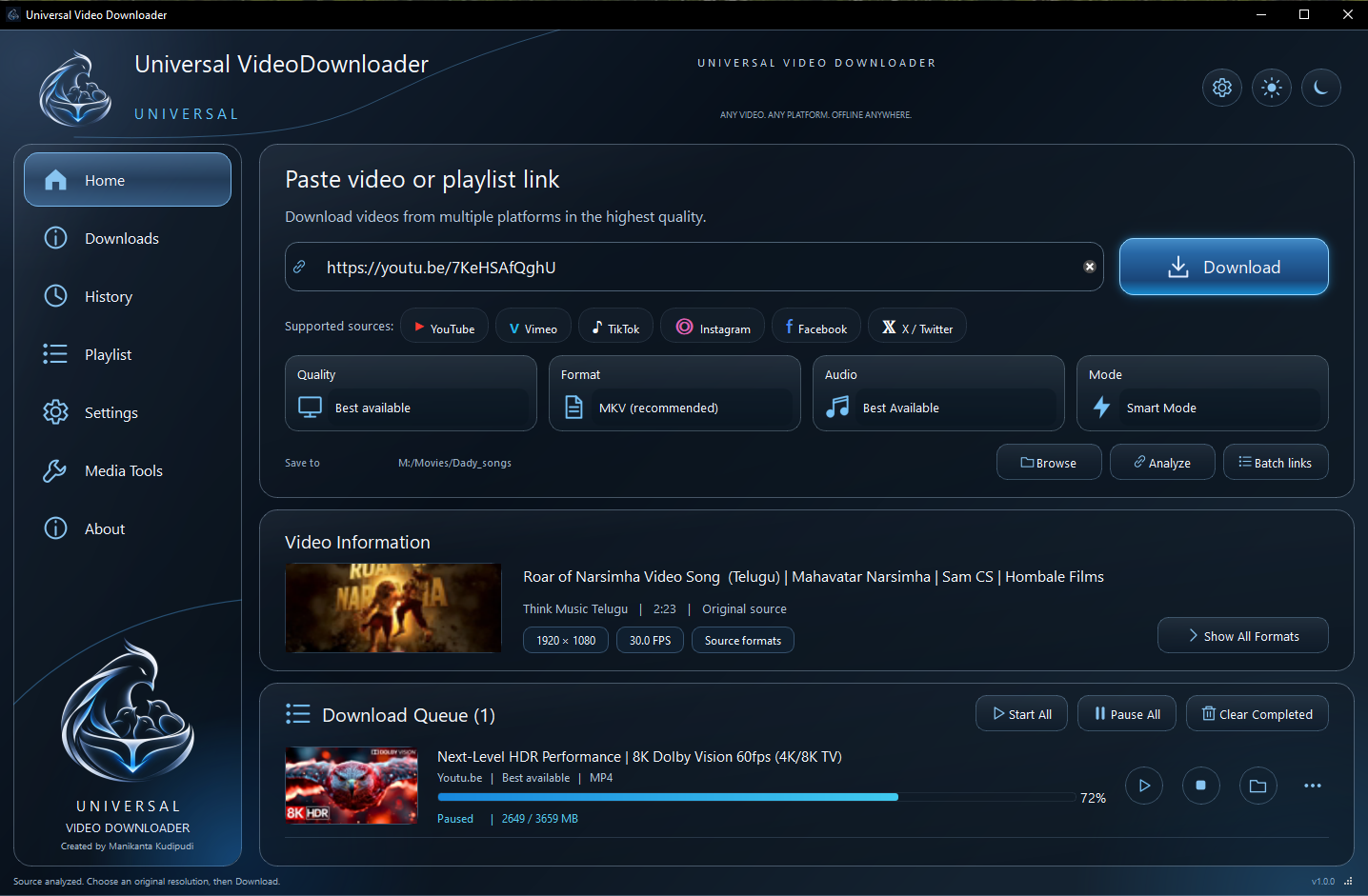
Featured capability
Go Beyond 4K. Experience 8K.
Choose the highest available video quality supported by the source, including 8K where available.
High-resolution video downloads.
Available source quality selection.
Flexible supported formats.
Audio and video download options where supported.
Quality options based on source availability.
8K downloads from YouTube are supported only when the source video, the download engine, and the available formats support 8K.
Maximum available quality depends on the source video and supported formats. Follow applicable platform terms and copyright restrictions.
Multiple Platforms. One Desktop Workspace.
Manage downloads from supported sources through one convenient application.
- YouTube
- Vimeo
- TikTok
- X
Platform names and trademarks belong to their respective owners. No official partnership or endorsement is implied, and compatibility with every URL is not guaranteed.
Freeware
Powerful Downloads. No Paywall.
Enjoy a desktop downloading experience without unnecessary barriers.
Free for Everyone
Use the application without a paid subscription.
Personal & Commercial Use
Licensed for personal and commercial use, subject to the freeware license terms.
No Subscription
No recurring subscription payment required.
No Activation Key
No application activation key required.
No Registration
No application account registration required.
No Application-Imposed Download Limit
The application itself does not impose a download count limit. Source availability and technical restrictions may still apply.
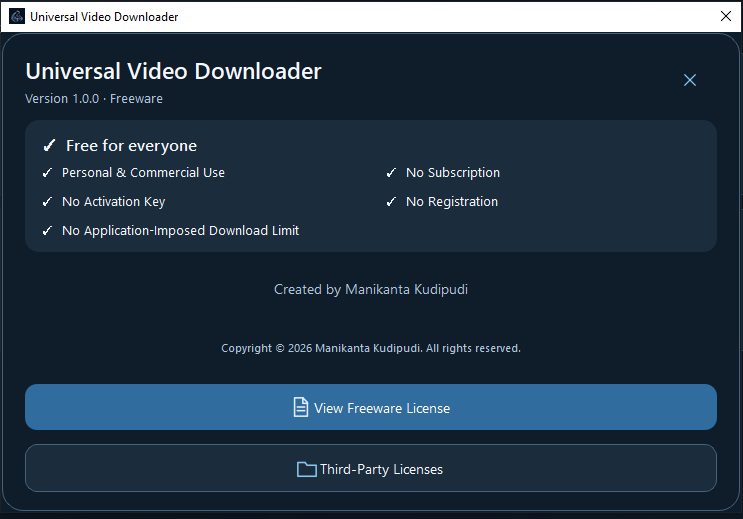
Version 1.0.0 · Freeware
View Freeware LicenseFeatures
Everything You Need, On Your Desktop.
A focused toolkit for downloading, organizing, and managing video and audio — all inside one Windows application.
High-Quality Downloads
Select available resolutions up to 8K when supported by the source and application.
Flexible Formats
Choose from available video formats and compatible output options.
Audio Options
Access supported audio download options.
Playlist Workflow
Process supported playlist links through the desktop application.
Download Queue
Monitor download progress and manage queued items.
Download History
Access previous download activity.
Smart Mode
A download mode that picks sensible settings for you, alongside quality, format and audio choices.
Media Tools
Player, Trim, Convert (MP4, MKV, WebM), Audio extract, Compress, Inspect and Extract a Frame.
Modern Desktop Interface
Enjoy a clean, organized workspace with practical controls.
Media Tools
A Complete Free Media Workspace.
Beyond downloading, the built-in Media Tools handle everyday local media tasks — no account or subscription required.
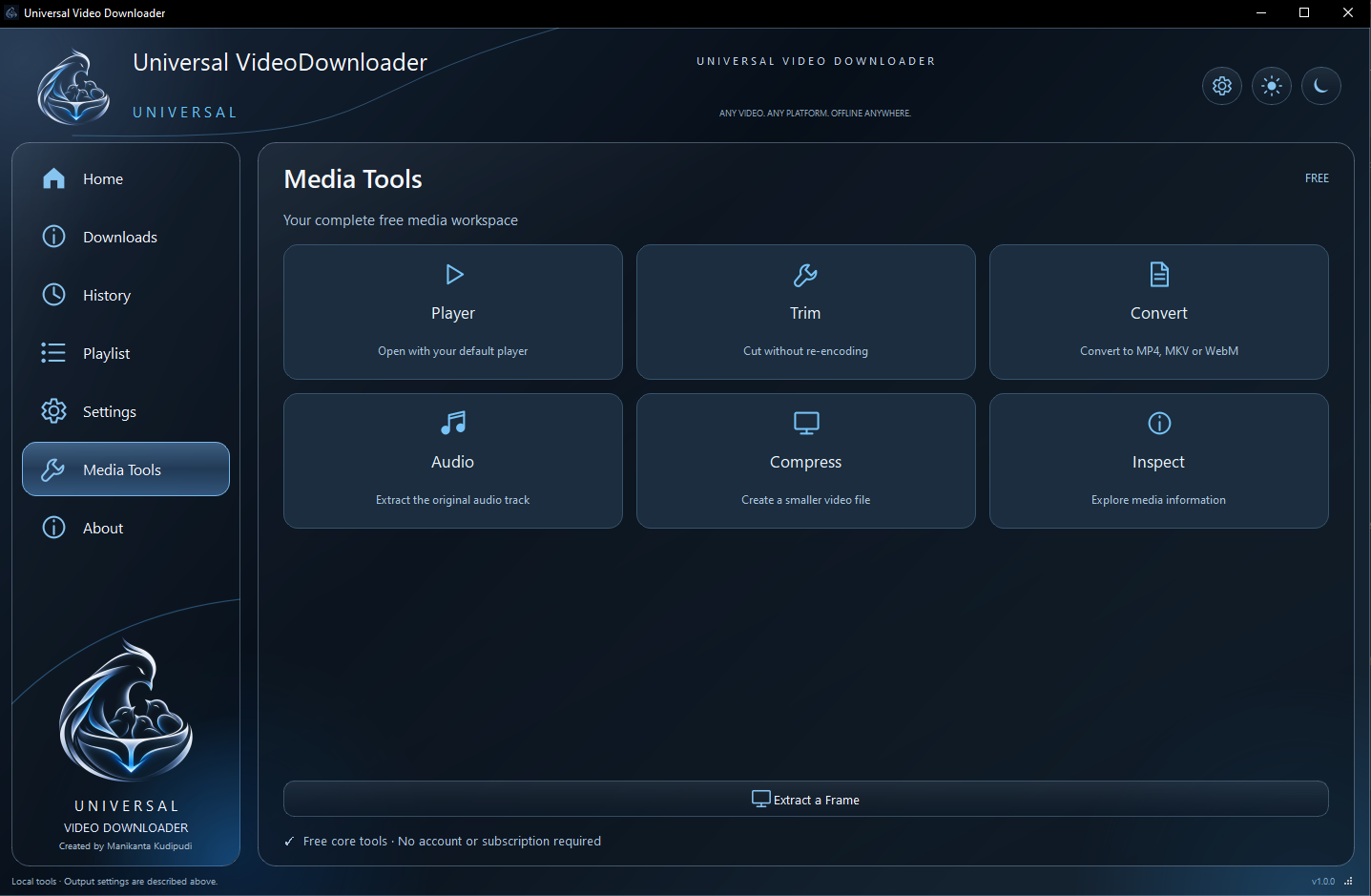
Player
Open with your default player
Trim
Cut without re-encoding
Convert
Convert to MP4, MKV or WebM
Audio
Extract the original audio track
Compress
Create a smaller video file
Inspect
Explore media information
Extract a Frame
Save a still image from a video
Free core tools
No account or subscription required
Workflow
Three Steps. That Simple.
- 01
Download the Application
Get the Windows application using the download button.
- 02
Paste a Supported Link
Open the application and enter a supported video or playlist URL.
- 03
Choose Quality and Download
Review available resolutions and formats, select your preferred options, and begin downloading — including 8K when the source and application support it.
Get started. It's free.
Download Universal Video Downloader for Windows and explore a streamlined desktop downloading experience.
Version 1.0.0 · Freeware · Windows · 172 MB
Trust
Simple. Transparent. Desktop-First.
Universal Video Downloader is an independently developed Windows desktop application. No accounts, no subscriptions, no hidden tiers — the essential policies live one click away.
All third-party names and trademarks shown on this website belong to their respective owners. Universal Video Downloader is not affiliated with, endorsed by, or sponsored by any of the platforms mentioned. Universal Video Downloader is created by Manikanta Kudipudi.
FAQ
Questions, Answered.
Everything you might want to know before installing.